App download QR code generator
One code routes each scanner to the right place: iPhones to the App Store, Android phones to Google Play, desktops to a fallback link you choose. You paste the store links in your dashboard and can update them when a listing changes, long after the poster went up. One square on the print instead of two competing ones.
Needs a free account. One dynamic code included free.
Complete the content
App download QR code
One code for both stores. iPhone scanners see the App Store first, Android sees Google Play, desktops get your web fallback.
- ✓ Hosted mobile page + scan analytics
- ✓ Edit anytime after printing
- ✓ 1 dynamic code free, active for 12 months
No credit card required
Download your QR
Static codes never expire. The link lives in the pattern, so there's nothing to switch off. No account needed.
For scan analytics and editable links, see plans.
What happens when someone scans it

Get our app
Order ahead
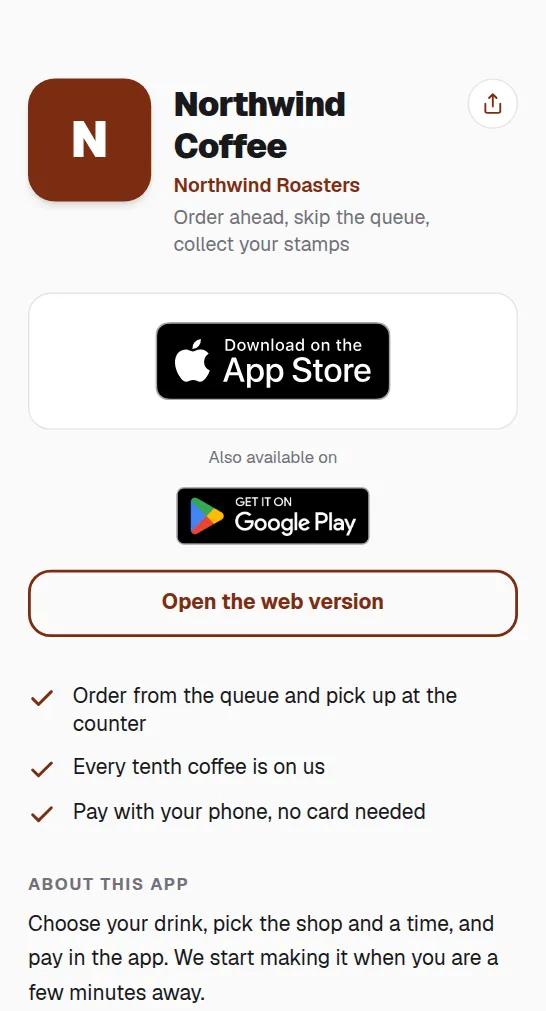
Store-aware routing
The hosted page reads the device and offers the matching store first, so no scanner lands on the wrong one.
Update links after printing
A new store listing or a renamed app is one edit in the dashboard, and the printed code follows.
Attribute installs to print
Scan analytics show which poster, package or ad drives downloads, split by device.
Common questions
How does one code serve two stores?+
The code opens a hosted page that detects the operating system and offers the matching store link first. Desktops see the fallback you set.
Why does it need an account?+
We host the routing page and the dashboard holds your store links. A free account includes one dynamic QR code.
Can I change the store links later?+
Yes, anytime. The printed code points to a short link, and the links behind it are yours to edit.
Can it point to a TestFlight beta?+
Yes. Add your TestFlight invite link and iPhones see it right after the App Store. Before launch, with no App Store listing yet, iPhone scans can go straight to the beta. When the app goes live, add the App Store link and the same printed code sends people there instead.