QR codes for events
Invitations mail weeks early and details drift: the start time moves, the venue changes, the program fills in late. An event code opens a hosted page with the date, venue, map and RSVP, and you edit that page as plans firm up. The save-the-date you sent in March still shows the right address in June, and the RSVPs land in one list instead of your text messages.
Complete the content
Design your QR
Download your QR
Add your link above to download this code.
Static codes never expire. The link lives in the pattern, so there's nothing to switch off. No account needed.
For scan analytics and editable links, see plans.
What happens when someone scans it

Spring Makers Market
Sat 31 Oct · Old Mill Hall
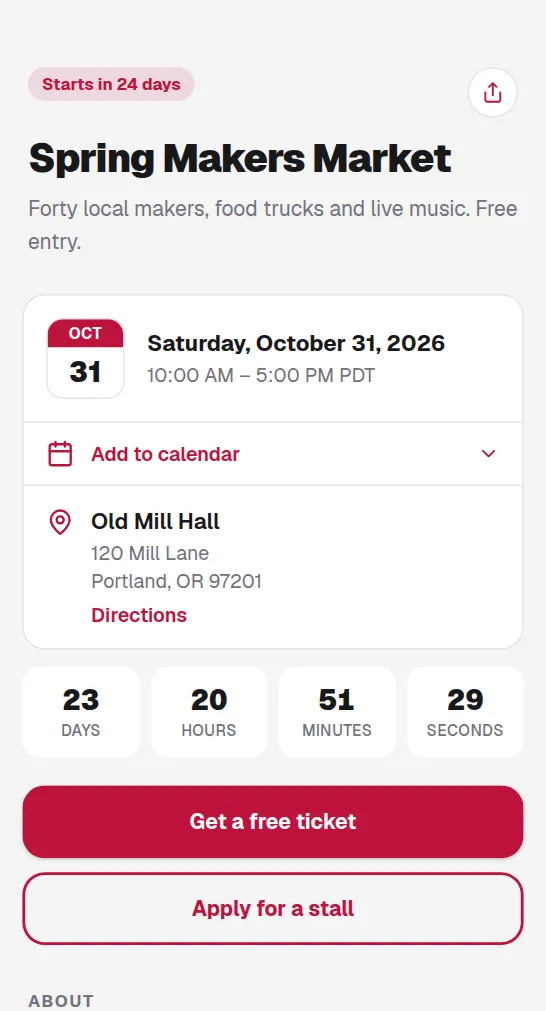
Details that stay current
One edit updates the page behind the printed code, so mailed invitations and hung posters follow every change of plan.
RSVP without the back-and-forth
Guests reply on the page instead of texting three different people. You watch the headcount build in one list.
One code across all the print
Invitations, posters and save-the-dates share the same code, and scan analytics show which of them gets guests to respond.
Common questions
What should the event page include?+
Date, time, venue with a map link, RSVP and anything guests ask twice about: parking, dress code, gift notes. A hosted page holds all of it behind one code.
What if the venue or date changes after printing?+
You edit the hosted page and the same printed code opens the new details everywhere it hangs. Save the reprint budget for design changes.
Will the code still work on the event day?+
Yes, and after it. Re-point the same code at the photo album once the night is over. A free dynamic code runs 12 months from the day you create it, which covers the invitations and the afterparty.